Select Language

  • Menu
  • Machines
    • Machines
    • Back
    • Drill Lines
      • Drill Lines
      • Back
      • PeddiSubX-1120
      • Peddi XDM-630
      • Advantage-2
      • BDL-1250/9D
    • Plate Processors
      • Plate Processors
      • Back
      • HSFDB-C
      • HSFDB-B
      • FPB-1800
    • Angle Lines
      • Angle Lines
      • Back
      • Anglemaster-663
      • Anglemaster-HD
      • Anglemaster-643
    • Thermal Cutting
      • Thermal Cutting
      • Back
      • PeddiBot-1250
      • PeddiBot-1250ST
      • PeddiBot-1200
      • ABCM-1250
    • Robotic Welding
      • Robotic Welding
      • Back
      • PeddiAssembler
    • Layout Marking
      • Layout Marking
      • Back
      • PeddiWriter
    • Band Saws
      • Band Saws
      • Back
      • DG-1250
      • DG-1100
      • 1250-510
      • 510-DGA
    • Material Handling
      • Material Handling
      • Back
      • PeddiRotator
    • Shot Blasters
      • Shot Blasters
      • Back
      • PeddiBlast
    • Ironworkers
      • Ironworkers
      • Back
      • PeddiMax
      • PeddiWorker
      • PeddiCat
    • Laser Cutting
    • Used Machinery
  • Software
    • Software
    • Back
    • Raptor
  • Technology
  • About
    • About
    • Back
    • About Us
    • Clients
    • Partners
    • Industries We Serve
    • Careers
  • Media
    • Media
    • Back
    • Videos
    • News
    • Magazine
    • Photos
    • eNews Signup
  • Shop
    • Shop
    • Back
    • Apparel
    • Band Saw Blades
    • Carbide Tooling
    • Coolants
    • Drill Bits
    • Laser Consumables
    • Plasma Consumables
    • Punches
    • Dies
    • Tool Holders & Accessories
  • Help
    • Help
    • Back
    • Remote Assistance
    • Training Videos
  • Contact
    • Contact
    • Back
    • Sales
    • Support
    • Parts
    +1 815 937 3800 info@peddinghaus.com
  • Machines
    • Drill Lines
    • Plate Processors
    • Angle Lines
    • Thermal Cutting
    • Robotic Welding
    • Layout Marking
    • Band Saws
    • Material Handling
    • Shot Blasters
    • Ironworkers
    • Laser Cutting
    • Used Machinery
    close
     

    PeddiSubX-1120

    Carbide 3 Spindle Drill

    Peddi XDM-630

    Carbide 3 Spindle Drill

    Advantage-2

    Carbide 3 Spindle Drill

    BDL-1250/9D

    9 Spindle Drill

    Powerful Drill Lines To Get The Job Done Right

    We Build The Strongest Machines

    View All Drill Lines Sales Expert
     

    HSFDB-C

    Maximum Plate Thickness: 4"

    HSFDB-B

    Maximum Plate Thickness: 3"

    FPB-1800

    Maximum Plate Thickness: 1-1/4"

    Powerful Plate Processors To Get The Job Done Right

    We Build The Strongest Machines

    View All Plate Processors Sales Expert
     

    Anglemaster-663

    Angle Capacity: 6.3" x 6.3" x 3/4"

    Anglemaster-HD

    Angle Capacity: 8" x 8" x 1"

    Anglemaster-643

    Angle Capacity: 6" x 6" x 5/8"

    Powerful Angle Lines To Get The Job Done Right

    We Build The Strongest Machines

    View All Angle Lines Sales Expert
     

    PeddiBot-1250

    Type of Thermal Cutting: Plasma and Oxy-Fuel

    PeddiBot-1250ST

    Type of Thermal Cutting: Plasma

    PeddiBot-1200

    Type of Thermal Cutting: Plasma

    ABCM-1250

    Type of Thermal Cutting: Oxy-Fuel

    Powerful Thermal Cutting To Get The Job Done Right

    We Build The Strongest Machines

    View All Thermal Cutting Sales Expert
     

    PeddiAssembler

    Profile Capacity: 16" x 30" x 60'

    Powerful Robotic Welding To Get The Job Done Right

    We Build The Strongest Machines

    Sales Expert
     

    PeddiWriter

    Plasma ArcWriting

    Powerful Layout Marking To Get The Job Done Right

    We Build The Strongest Machines

    Sales Expert
     

    DG-1250

    Miter Cut Sawing

    DG-1100

    Miter Cut Sawing

    1250-510

    Straight Cut Band Saw

    510-DGA

    Miter Cut Sawing

    Powerful Band Saws To Get The Job Done Right

    We Build The Strongest Machines

    View All Band Saws Sales Expert
     

    PeddiRotator

    360° Rotation

    Powerful Material Handling To Get The Job Done Right

    We Build The Strongest Machines

    Sales Expert
     

    PeddiBlast

    Roller Conveyor Blast Machine

    Powerful Shot Blasters To Get The Job Done Right

    We Build The Strongest Machines

    Sales Expert
     

    PeddiMax

    Tonnage: 140 Tons

    PeddiWorker

    Tonnage: 100 Tons

    PeddiCat

    Tonnage: 55 Tons

    Powerful Ironworkers To Get The Job Done Right

    We Build The Strongest Machines

    View All Ironworkers Sales Expert
  • Software
    • Raptor
  • Technology
  • About
    • About Us
    • Clients
    • Partners
    • Industries We Serve
    • Careers
  • Media
    • Videos
    • News
    • Magazine
    • Photos
    • eNews Signup
  • Shop
    • Apparel
    • Band Saw Blades
    • Carbide Tooling
    • Coolants
    • Drill Bits
    • Laser Consumables
    • Plasma Consumables
    • Punches
    • Dies
    • Tool Holders & Accessories
  • Help
    • Remote Assistance
    • Training Videos
Contact
  • Sales
  • Support
  • Parts

Select Language

Search
Filter Videos By
  • Machines
    • Drill Lines
    • Plate Processors
    • Angle Lines
    • Thermal Cutting
    • Robotic Welding
    • Layout Marking
    • Band Saws
    • Material Handling
    • Shot Blasters
  • Software
  • Customers
  • Partners
  • Events
  • News
  • How To
All Videos
Search Video Gallery
Watching:Copes, Cope Filters and Advanced Tabs in Raptor
 
Channel: How To

Copes, Cope Filters and Advanced Tabs in Raptor

Published 04/30/2020

Learn all about copes, cope filters and advanced tabs in Raptor.

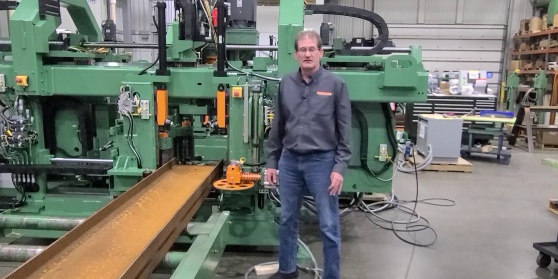
Hello again. I'm Duane Bates, the pre-installation and training department manager at Peddinghaus.

In this video, we will be covering corrections in Raptor, more specifically, the copes, cope filters, and advanced tabs.

On the Copes tab, you will find that there's three additional tabs, Copes 1, Copes 2, and Copes 3.

On the Copes 1 tab, the first thing we see is a top-down view of the beam that's showing a flange thin cope. If you would like this to be pulled away from the web so that the cut does not undercut the web, you can enter a value in here for the distance you would like to pull that cope away from the web. Generally, if the cut flush cope, generally 1/16 or 1/8 of an inch is a good value to put in the safety distance from web.

The next thing we have is corrected copes. What this is telling us is which way we would like these copes to be corrected. We can either move lines or we can cut lines. In the illustration here, what you see is a move line. It took this line and it moved it up this distance. If we chose cut lines, what it would do is it would come down to that point, and then it would just stop. The cut would not continue. Generally, I like to select move lines, and that's my preference. Adjust bevel angle. Whatever angle we have in this box-- in this case if I put 45 degrees, all bevels on the parts that I'm correcting will be changed to 45. If there happened to be a 30 degree angle on one of the bevels, it would then be changed to 45. So this is just a universal setting to switch all bevel angles to whatever angle we have displayed here.

Create Semi Circles is used to take a segmented radius corner and make it a nice smooth radius with an arc. I generally always have this selected. I always want a nice smooth arc on my radius, so I believe this is a good one to have selected at all times.

Flange cope Boolean adjustment refers to a block cope. On a block cope sometimes when the depth of the block is very shallow--let's say 3/4 of an inch or maybe 1 inch-- as you're cutting the flange, the flange cut may actually go through the radius of the cope and actually cut into the web. Generally that would be a bad thing and would compromise the beam, compromise the material. So what flange cope Boolean adjustment is doing is offsetting the flange cut from the web cut so that that doesn't happen. And, generally, a good value to have here is whatever half of the kerf value is for the torch cut.

On the Copes 2 tab, we are simply adding a rounding radius to any corners that are coming in as square. So if they come in square by accident or we can add a rounding radius here, and it will automatically put that radius in for us.

On Copes 3, we're simply adding a lead-in into any internal cutouts. So if we have a web penetration in the middle of the beam or someplace in the beam, we can add a lead-in into that so that we're not piercing right on the cut line.

We can either choose to do a semicircular line or a straight line. Generally, semicircular will be better, will give you a better result. But if you choose to have a straight line, you can do that as well.

And the radius of that lead-in can be added right here if you're using the semicircular. The direction of the lead-in can be either clockwise, counterclockwise, or just left to be direction of the cope. If you are using oxy-fuel, it doesn't matter, so you can just choose direction of cope. If you are using plasma, you do need to choose one or the other based on the consumables that you have in the torch at that time.

The next lesson we have is cope filters. Once again, we see that we have numerous tabs here and various ways to set them.

The safety distance for copes is all for keeping the torch away from a flange or a vertical surface. So on an angle, that would be as you're cutting on the web, it would be keeping the torch away from the top flange leg, if you will. However, for whatever distance you want to make that, you put right here in the safety distance for copes, and that will take care of that. Add radius to cope safety distance. That will be in addition to whatever value you have here for the safety distance. So the radius between the web and the flange would be added to the safety distance you have there. Generally, we do not check the add radius. We just simply put whatever value we want here for the torch clearance. A good value there would be 5/16 or maybe 3/8 of an inch at max.

All of these tabs are set up the same way. And just add your values in as needed. You should only need them on angles, beams, channels, and T-shapes. Plates and tubes because they are flat surfaces and you don't have a vertical leg there, you don't need any safety distance on either of those. On the Advanced tab, you have correct copes created manually, correct haunch2 copes, and correct copes from macros.

Just simply, if you create the cope manually and you don't want corrections to be applied to those copes, you can check that or not, and it would not do this. So if you check them, of course, it's going to correct them. If you leave them unchecked, they're not going to be corrected. So any copes that are created by macros, any copes that are created on the Haunch2 tab in copes, and any copes are created manually, you can either tell it to correct them or not correct them.

For any other service-related questions, please contact Peddinghaus Support at 1-815-937-3800, and press 2 for technical assistance. Or visit our website site at www.peddinghaus.com for more how-to videos and additional machine information.

Current Channel: How To

PCDC Encoder Calibration
Watch
How To
DXF Import
DXF Import
Watch
How To
XML 3D Export
XML 3D Export
Watch
How To
Export Peddimat in Raptor
Watch
How To
SDS2 Import
SDS2 Import
Watch
How To
Tekla Import
Tekla Import
Watch
How To
IDSTV+ Import
IDSTV+ Import
Watch
How To
ISDTV+ Export
ISDTV+ Export
Watch
How To
Edit View Menus in Raptor
Watch
How To
File Menu Options in Raptor
Watch
How To
Welds and Weld Filters in Raptor
Watch
How To
Import Peddimat in Raptor
Watch
How To
Import DSTV in Raptor
Watch
How To
Creating Macros in Raptor
Watch
How To
Export DSTV in Raptor
Watch
How To
Scribes and Scribe Filters Tabs in Raptor
Watch
How To
Manage and General Filters Tabs in Raptor
Watch
How To
Holes and Popmarks Tabs in Raptor
Watch
How To
The "Advanced Settings" Tab Overview in Raptor
Watch
How To
How To Get Remotely Connected To Support - Windows 7
Watch
How To
How To Get Remotely Connected To Support - Windows XP
Watch
How To
What Information Do I Need Before Contacting Support
Watch
How To
How Do I Access Prints and Manuals For My Machine
Watch
How To
Tapping a Profile in Raptor for Operation on Advantage-2
Watch
How To
Countersinking in Raptor for Operation on Advantage-2
Watch
How To
Milling a Profile in Raptor for Operation on Advantage-2
Watch
How To
DG-1100 Breaking in a Saw Blade
Watch
How To
DG-1100 Saw Speeds and Feeds
Watch
How To
Specialty Tool Types in Peddimat
Watch
How To
Peddimat Speeds and Feeds
Watch
How To
Raptor Speeds and Feeds
Watch
How To
 

Start Your Most Profitable Partnership Today!

Request Demo Request Quote Request Visit Request Call

Stay Connected

Peddinghaus
Stronger Than Steel

Headquarters

300 N Washington Ave.
Bradley, IL 60915

T | +1 815 937 3800

E | info@peddinghaus.com

Support (USA & CAN): +1 815 937 3800 Press 2

Contact Us

Machines

  • Laser Cutting
  • Drill Lines
  • Plate Processors
  • Angle Lines
  • Thermal Cutting
  • Robotic Welding
  • Layout Marking
  • Band Saws
  • Material Handling
  • Shot Blasters
  • Ironworkers

Useful Links

  • Software
  • Technology
  • Videos
  • News
  • Magazine
  • Photos
  • Careers
  • Shop

Help

  • Remote Assistance
  • Training Videos

Contact

  • Sales
  • Support
  • Parts

United States © 2025. Peddinghaus Corporation. All Rights Reserved. | Privacy Policy

  • National Safety Council
  • American Institute of Steel Construction
  • American Welding Society
  • British Constructional Steelwork Association
  • Canadian Institute of Steel Construction
  • Fabricators & Manufacturers Association, International
  • Steel for Life