Select Language

  • Menu
  • Machines
    • Machines
    • Back
    • Drill Lines
      • Drill Lines
      • Back
      • PeddiSubX-1120
      • Peddi XDM-630
      • Advantage-2
      • BDL-1250/9D
    • Plate Processors
      • Plate Processors
      • Back
      • HSFDB-C
      • HSFDB-B
      • FPB-1800
    • Angle Lines
      • Angle Lines
      • Back
      • Anglemaster-663
      • Anglemaster-HD
      • Anglemaster-643
    • Thermal Cutting
      • Thermal Cutting
      • Back
      • PeddiBot-1250
      • PeddiBot-1250ST
      • PeddiBot-1200
      • ABCM-1250
    • Robotic Welding
      • Robotic Welding
      • Back
      • PeddiAssembler
    • Layout Marking
      • Layout Marking
      • Back
      • PeddiWriter
    • Band Saws
      • Band Saws
      • Back
      • DG-1250
      • DG-1100
      • 1250-510
      • 510-DGA
    • Material Handling
      • Material Handling
      • Back
      • PeddiRotator
    • Shot Blasters
      • Shot Blasters
      • Back
      • PeddiBlast
    • Ironworkers
      • Ironworkers
      • Back
      • PeddiMax
      • PeddiWorker
      • PeddiCat
    • Laser Cutting
    • Used Machinery
  • Software
    • Software
    • Back
    • Raptor
  • Technology
  • About
    • About
    • Back
    • About Us
    • Clients
    • Partners
    • Industries We Serve
    • Careers
  • Media
    • Media
    • Back
    • Videos
    • News
    • Magazine
    • Photos
    • eNews Signup
  • Shop
    • Shop
    • Back
    • Apparel
    • Band Saw Blades
    • Carbide Tooling
    • Coolants
    • Drill Bits
    • Laser Consumables
    • Plasma Consumables
    • Punches
    • Dies
    • Tool Holders & Accessories
  • Help
    • Help
    • Back
    • Remote Assistance
    • Training Videos
  • Contact
    • Contact
    • Back
    • Sales
    • Support
    • Parts
    +1 815 937 3800 info@peddinghaus.com
  • Machines
    • Drill Lines
    • Plate Processors
    • Angle Lines
    • Thermal Cutting
    • Robotic Welding
    • Layout Marking
    • Band Saws
    • Material Handling
    • Shot Blasters
    • Ironworkers
    • Laser Cutting
    • Used Machinery
    close
     

    PeddiSubX-1120

    Carbide 3 Spindle Drill

    Peddi XDM-630

    Carbide 3 Spindle Drill

    Advantage-2

    Carbide 3 Spindle Drill

    BDL-1250/9D

    9 Spindle Drill

    Powerful Drill Lines To Get The Job Done Right

    We Build The Strongest Machines

    View All Drill Lines Sales Expert
     

    HSFDB-C

    Maximum Plate Thickness: 4"

    HSFDB-B

    Maximum Plate Thickness: 3"

    FPB-1800

    Maximum Plate Thickness: 1-1/4"

    Powerful Plate Processors To Get The Job Done Right

    We Build The Strongest Machines

    View All Plate Processors Sales Expert
     

    Anglemaster-663

    Angle Capacity: 6.3" x 6.3" x 3/4"

    Anglemaster-HD

    Angle Capacity: 8" x 8" x 1"

    Anglemaster-643

    Angle Capacity: 6" x 6" x 5/8"

    Powerful Angle Lines To Get The Job Done Right

    We Build The Strongest Machines

    View All Angle Lines Sales Expert
     

    PeddiBot-1250

    Type of Thermal Cutting: Plasma and Oxy-Fuel

    PeddiBot-1250ST

    Type of Thermal Cutting: Plasma

    PeddiBot-1200

    Type of Thermal Cutting: Plasma

    ABCM-1250

    Type of Thermal Cutting: Oxy-Fuel

    Powerful Thermal Cutting To Get The Job Done Right

    We Build The Strongest Machines

    View All Thermal Cutting Sales Expert
     

    PeddiAssembler

    Profile Capacity: 16" x 30" x 60'

    Powerful Robotic Welding To Get The Job Done Right

    We Build The Strongest Machines

    Sales Expert
     

    PeddiWriter

    Plasma ArcWriting

    Powerful Layout Marking To Get The Job Done Right

    We Build The Strongest Machines

    Sales Expert
     

    DG-1250

    Miter Cut Sawing

    DG-1100

    Miter Cut Sawing

    1250-510

    Straight Cut Band Saw

    510-DGA

    Miter Cut Sawing

    Powerful Band Saws To Get The Job Done Right

    We Build The Strongest Machines

    View All Band Saws Sales Expert
     

    PeddiRotator

    360° Rotation

    Powerful Material Handling To Get The Job Done Right

    We Build The Strongest Machines

    Sales Expert
     

    PeddiBlast

    Roller Conveyor Blast Machine

    Powerful Shot Blasters To Get The Job Done Right

    We Build The Strongest Machines

    Sales Expert
     

    PeddiMax

    Tonnage: 140 Tons

    PeddiWorker

    Tonnage: 100 Tons

    PeddiCat

    Tonnage: 55 Tons

    Powerful Ironworkers To Get The Job Done Right

    We Build The Strongest Machines

    View All Ironworkers Sales Expert
  • Software
    • Raptor
  • Technology
  • About
    • About Us
    • Clients
    • Partners
    • Industries We Serve
    • Careers
  • Media
    • Videos
    • News
    • Magazine
    • Photos
    • eNews Signup
  • Shop
    • Apparel
    • Band Saw Blades
    • Carbide Tooling
    • Coolants
    • Drill Bits
    • Laser Consumables
    • Plasma Consumables
    • Punches
    • Dies
    • Tool Holders & Accessories
  • Help
    • Remote Assistance
    • Training Videos
Contact
  • Sales
  • Support
  • Parts

Select Language

Search
Filter Videos By
  • Machines
    • Drill Lines
    • Plate Processors
    • Angle Lines
    • Thermal Cutting
    • Robotic Welding
    • Layout Marking
    • Band Saws
    • Material Handling
    • Shot Blasters
  • Software
  • Customers
  • Partners
  • Events
  • News
  • How To
All Videos
Search Video Gallery
Watching:Welds and Weld Filters in Raptor
 
Channel: How To

Welds and Weld Filters in Raptor

Published 11/11/2020

Learn all about welds and weld filters in Raptor.

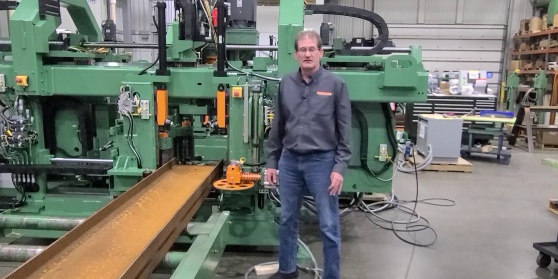
Hi, I'm Duane Bates, the pre-installation and training department manager at Peddinghaus. In this video I will be discussing corrections in Raptor, specifically the welds, weld filters and miters tab.

On the welds tabs you can decide how you want to correct your welds, whether you want to move or cut them. This refers to any weld symbols that may be in the safety distance near a flange or something like that. This will move them so they can be scribed, or it will cut them. If it's in the safety distance it will cut off anything in that area. If you want to scribe your welds you will probably want to move them so you get the entire weld scribe. You can decide what the minimum text height for those weld symbols will be. I set it at 3/8".

On the welds filters tab you will notice we have different profile tabs. They're all identical. Once you know how to set one up you'll know how to set up the rest. Make sure you have them set up the way you need them to be. First thing is weld style. You can either do full lines, pop marks or corner lines. I have it set for full lines. That way it scribes the entire weld symbol. Otherwise, I'm going to get pop marks where weld symbols are. I can get corner lines and it will only give me bits of the weld symbol. Safety distance from edge, we can pull the scribes back from the edge so we don't scribe something out on the edge and potentially damage the tool. Safety distance from flange is only for the Peddiwriter. Flange height from web is essentially the length of the Peddiwriter torch. The safety distance below flange height is half the diameter of the torch plus a little bit extra so we have clearance to the inside of the flange. Safety distance above flange height is half the width of the mechanism above the torch. This is so we make sure that mechanism is not running into the flange as well. All of these values can be measured directly on the torch physically. Any weld symbols that might be outside the material can be clipped or cut off by checking that box.

The next tab we have is the miters tab. You are going to enter the values for your saw. If you're using one of our larger 1100 or 1250DG saws, those values are -60 to 60. You need to do that on both lead and trail edge, or left and right edge. Once you have something outside that range, it will automatically convert it to what we have chosen. Those machines are not capable of doing a wide miter. A wide miter is a flange miter. They are not capable of doing that, so we leave it at 0. Set the perimeters of cutting across the web, or Z miter. Once it's outside of the range choose to either do nothing with it, remove it, put pop marks where that cut is, scribe it or cope it. If you happen to have a copper, this is a really easy way to make a compound miter. If you have something that has a flange and web cut that are both at a miter you can program those just as a miter cut. This will automatically turn it into a cope. If you don't have a mitering saw, you can set those perimeters up here all for 0. Any time it has a miter it will automatically turn it into something else. It gives you many choices to turn it into other features that can then be done in a secondary process.

Whatever you choose we have to have a kerf value. That is the amount of material that will be removed in the cut. Put a value in there so Raptor adds the extra material for you. This way your part doesn't end up too short. If you are going to run this on a coper you need to tell it where you're going to split the web cut. The web is either going to start in the center and go one way, come back, then go the other way. It can also start at the flange inside at one side and cut to inside the flange on another side. Tell it what percentage of that web you want to actually cut, or where you want that cut to start. I typically leave it at 0, so I'm starting just inside that flange and going to the other flange.

A double Z miter is a miter that goes two different directions on the web. You can tell it to do nothing, remove it, pop mark it or scribe it. It can also do underside marks. You need to have an underside scriber to take care of that. Here, you're going to tell it how to handle those. A typical double Z miter is the bottom of a stair stringer. I typically set it for scribe. I'm going to set it for cope because I am going to a coper, or for scribe because I'm going to have someone cut this by hand later on. Those are my two normal choices.

For any other service-related questions please contact Peddinghaus support at 1-815-937-3800 and press 2 for technical assistance. Visit our website at www.peddinghaus.com for more how-to videos and additional machine information.

Current Channel: How To
PCDC Encoder Calibration
Watch
How To
DXF Import
DXF Import
Watch
How To
XML 3D Export
XML 3D Export
Watch
How To
Export Peddimat in Raptor
Watch
How To
SDS2 Import
SDS2 Import
Watch
How To
Tekla Import
Tekla Import
Watch
How To
IDSTV+ Import
IDSTV+ Import
Watch
How To
ISDTV+ Export
ISDTV+ Export
Watch
How To
Edit View Menus in Raptor
Watch
How To
File Menu Options in Raptor
Watch
How To
Import Peddimat in Raptor
Watch
How To
Import DSTV in Raptor
Watch
How To
Creating Macros in Raptor
Watch
How To
Export DSTV in Raptor
Watch
How To
Scribes and Scribe Filters Tabs in Raptor
Watch
How To
Manage and General Filters Tabs in Raptor
Watch
How To
Holes and Popmarks Tabs in Raptor
Watch
How To
The "Advanced Settings" Tab Overview in Raptor
Watch
How To
Copes, Cope Filters and Advanced Tabs in Raptor
Watch
How To
How To Get Remotely Connected To Support - Windows 7
Watch
How To
How To Get Remotely Connected To Support - Windows XP
Watch
How To
What Information Do I Need Before Contacting Support
Watch
How To
How Do I Access Prints and Manuals For My Machine
Watch
How To
Tapping a Profile in Raptor for Operation on Advantage-2
Watch
How To
Countersinking in Raptor for Operation on Advantage-2
Watch
How To
Milling a Profile in Raptor for Operation on Advantage-2
Watch
How To
DG-1100 Breaking in a Saw Blade
Watch
How To
DG-1100 Saw Speeds and Feeds
Watch
How To
Specialty Tool Types in Peddimat
Watch
How To
Peddimat Speeds and Feeds
Watch
How To
Raptor Speeds and Feeds
Watch
How To
 

Start Your Most Profitable Partnership Today!

Request Demo Request Quote Request Visit Request Call

Stay Connected

Peddinghaus
Stronger Than Steel

Headquarters

300 N Washington Ave.
Bradley, IL 60915

T | +1 815 937 3800

E | info@peddinghaus.com

Support (USA & CAN): +1 815 937 3800 Press 2

Contact Us

Machines

  • Laser Cutting
  • Drill Lines
  • Plate Processors
  • Angle Lines
  • Thermal Cutting
  • Robotic Welding
  • Layout Marking
  • Band Saws
  • Material Handling
  • Shot Blasters
  • Ironworkers

Useful Links

  • Software
  • Technology
  • Videos
  • News
  • Magazine
  • Photos
  • Careers
  • Shop

Help

  • Remote Assistance
  • Training Videos

Contact

  • Sales
  • Support
  • Parts

United States © 2025. Peddinghaus Corporation. All Rights Reserved. | Privacy Policy

  • National Safety Council
  • American Institute of Steel Construction
  • American Welding Society
  • British Constructional Steelwork Association
  • Canadian Institute of Steel Construction
  • Fabricators & Manufacturers Association, International
  • Steel for Life