Select Language

  • Menu
  • Machines
    • Machines
    • Back
    • Drill Lines
      • Drill Lines
      • Back
      • PeddiSubX-1120
      • Peddi XDM-630
      • Advantage-2
      • BDL-1250/9D
    • Plate Processors
      • Plate Processors
      • Back
      • HSFDB-C
      • HSFDB-B
      • FPB-1800
    • Angle Lines
      • Angle Lines
      • Back
      • Anglemaster-663
      • Anglemaster-HD
      • Anglemaster-643
    • Thermal Cutting
      • Thermal Cutting
      • Back
      • PeddiBot-1250
      • PeddiBot-1250ST
      • PeddiBot-1200
      • ABCM-1250
    • Robotic Welding
      • Robotic Welding
      • Back
      • PeddiAssembler
    • Layout Marking
      • Layout Marking
      • Back
      • PeddiWriter
    • Band Saws
      • Band Saws
      • Back
      • DG-1250
      • DG-1100
      • 1250-510
      • 510-DGA
    • Material Handling
      • Material Handling
      • Back
      • PeddiRotator
    • Shot Blasters
      • Shot Blasters
      • Back
      • PeddiBlast
    • Ironworkers
      • Ironworkers
      • Back
      • PeddiMax
      • PeddiWorker
      • PeddiCat
    • Laser Cutting
    • Used Machinery
  • Software
    • Software
    • Back
    • Raptor
  • Technology
  • About
    • About
    • Back
    • About Us
    • Clients
    • Partners
    • Industries We Serve
    • Careers
  • Media
    • Media
    • Back
    • Videos
    • News
    • Magazine
    • Photos
    • eNews Signup
  • Shop
    • Shop
    • Back
    • Apparel
    • Band Saw Blades
    • Carbide Tooling
    • Coolants
    • Drill Bits
    • Laser Consumables
    • Plasma Consumables
    • Punches
    • Dies
    • Tool Holders & Accessories
  • Help
    • Help
    • Back
    • Remote Assistance
    • Training Videos
  • Contact
    • Contact
    • Back
    • Sales
    • Support
    • Parts
    +1 815 937 3800 info@peddinghaus.com
  • Machines
    • Drill Lines
    • Plate Processors
    • Angle Lines
    • Thermal Cutting
    • Robotic Welding
    • Layout Marking
    • Band Saws
    • Material Handling
    • Shot Blasters
    • Ironworkers
    • Laser Cutting
    • Used Machinery
    close
     

    PeddiSubX-1120

    Carbide 3 Spindle Drill

    Peddi XDM-630

    Carbide 3 Spindle Drill

    Advantage-2

    Carbide 3 Spindle Drill

    BDL-1250/9D

    9 Spindle Drill

    Powerful Drill Lines To Get The Job Done Right

    We Build The Strongest Machines

    View All Drill Lines Sales Expert
     

    HSFDB-C

    Maximum Plate Thickness: 4"

    HSFDB-B

    Maximum Plate Thickness: 3"

    FPB-1800

    Maximum Plate Thickness: 1-1/4"

    Powerful Plate Processors To Get The Job Done Right

    We Build The Strongest Machines

    View All Plate Processors Sales Expert
     

    Anglemaster-663

    Angle Capacity: 6.3" x 6.3" x 3/4"

    Anglemaster-HD

    Angle Capacity: 8" x 8" x 1"

    Anglemaster-643

    Angle Capacity: 6" x 6" x 5/8"

    Powerful Angle Lines To Get The Job Done Right

    We Build The Strongest Machines

    View All Angle Lines Sales Expert
     

    PeddiBot-1250

    Type of Thermal Cutting: Plasma and Oxy-Fuel

    PeddiBot-1250ST

    Type of Thermal Cutting: Plasma

    PeddiBot-1200

    Type of Thermal Cutting: Plasma

    ABCM-1250

    Type of Thermal Cutting: Oxy-Fuel

    Powerful Thermal Cutting To Get The Job Done Right

    We Build The Strongest Machines

    View All Thermal Cutting Sales Expert
     

    PeddiAssembler

    Profile Capacity: 16" x 30" x 60'

    Powerful Robotic Welding To Get The Job Done Right

    We Build The Strongest Machines

    Sales Expert
     

    PeddiWriter

    Plasma ArcWriting

    Powerful Layout Marking To Get The Job Done Right

    We Build The Strongest Machines

    Sales Expert
     

    DG-1250

    Miter Cut Sawing

    DG-1100

    Miter Cut Sawing

    1250-510

    Straight Cut Band Saw

    510-DGA

    Miter Cut Sawing

    Powerful Band Saws To Get The Job Done Right

    We Build The Strongest Machines

    View All Band Saws Sales Expert
     

    PeddiRotator

    360° Rotation

    Powerful Material Handling To Get The Job Done Right

    We Build The Strongest Machines

    Sales Expert
     

    PeddiBlast

    Roller Conveyor Blast Machine

    Powerful Shot Blasters To Get The Job Done Right

    We Build The Strongest Machines

    Sales Expert
     

    PeddiMax

    Tonnage: 140 Tons

    PeddiWorker

    Tonnage: 100 Tons

    PeddiCat

    Tonnage: 55 Tons

    Powerful Ironworkers To Get The Job Done Right

    We Build The Strongest Machines

    View All Ironworkers Sales Expert
  • Software
    • Raptor
  • Technology
  • About
    • About Us
    • Clients
    • Partners
    • Industries We Serve
    • Careers
  • Media
    • Videos
    • News
    • Magazine
    • Photos
    • eNews Signup
  • Shop
    • Apparel
    • Band Saw Blades
    • Carbide Tooling
    • Coolants
    • Drill Bits
    • Laser Consumables
    • Plasma Consumables
    • Punches
    • Dies
    • Tool Holders & Accessories
  • Help
    • Remote Assistance
    • Training Videos
Contact
  • Sales
  • Support
  • Parts

Select Language

Search
Filter Videos By
  • Machines
    • Drill Lines
    • Plate Processors
    • Angle Lines
    • Thermal Cutting
    • Robotic Welding
    • Layout Marking
    • Band Saws
    • Material Handling
    • Shot Blasters
  • Software
  • Customers
  • Partners
  • Events
  • News
  • How To
All Videos
Search Video Gallery
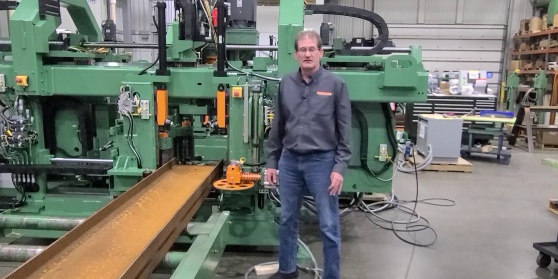
Watching:How To Get Remotely Connected To Support - Windows XP
 
Channel: How To

How To Get Remotely Connected To Support - Windows XP

Published 08/16/2018

See how to get remotely connected to Peddinghaus Customer Support on Windows XP.

Peddinghaus maintains a 24-hour technical support center to assist customers with any questions or concerns that may arise in the operation of Peddinghaus machinery. Our in-house service technicians utilize remote diagnostic software in order to troubleshoot your questions no matter where in the world a machine is located. Here’s how to get your Peddinghaus machine remotely connected to Peddinghaus Support.

Step one. Verify that your machine is in network by checking for internet connection.

Step two. Contact Peddinghaus Support at +1 (815) 937-3800 and press 2. Once on the phone with a Peddinghaus technician, you will be given an access code to enter on the control.

Step three. In Raptor, click the ‘help’ menu shortcut, then click on ‘remote assistance’. If you are using PeddiMat, click the ‘help’ menu shortcut, then click on ‘Peddinghaus website’, or enter www.peddinghaus.com/remote into your browser. This will take you to a remote connection page. Here, you will enter the given access code when prompted. Save the file and click run.

If the options in step three are unavailable to you, you will need to first reboot the machine control to the Windows startup.

If your machine is running Windows XP, follow these steps.

First, power on the machine. As the control boots up, a screen that says Sinumerik HMI will appear after a few seconds.

Now, in the lower right corner of the screen, you will see a version number appear for 3 seconds. At this point, press the number 3 on the keypad of the control.

When prompted to enter a password, type SUNRISE.

Next press the yellow input button to enter the password and access the Windows desktop.

Finally, you can now visit the Peddinghaus website at www.peddinghaus.com. Click the support tab at the top, then click on remote assistance. Or enter www.peddinghaus.com/remote into your browser.

At this point, enter the code given by your Peddinghaus support technician in step 2. After the code has been entered you will need to install any programs or approve any requests that appear on the control during this process. Allowing remote access to your machine.

If you are unable to connect using the code or unable to connect to the website, go to remote.peddi.com and run the appropriate version of the remote connection software as prompted. Once the remote connection software is installed, give your Peddinghaus technician the access code and password generated by the software. This will successfully connect you to the Peddinghaus support.

If you are still unable to access the Peddinghaus website please contact your IT department or web provider as the issue may be outside of the machine control.

For any other service related questions, please contact Peddinghaus Support at +1 (815) 937-3800 and press 2 for technical assistance. Or visit our website at www.peddinghaus.com for more how-to videos and additional machine information.

Current Channel: How To
PCDC Encoder Calibration
Watch
How To
DXF Import
DXF Import
Watch
How To
XML 3D Export
XML 3D Export
Watch
How To
Export Peddimat in Raptor
Watch
How To
SDS2 Import
SDS2 Import
Watch
How To
Tekla Import
Tekla Import
Watch
How To
IDSTV+ Import
IDSTV+ Import
Watch
How To
ISDTV+ Export
ISDTV+ Export
Watch
How To
Edit View Menus in Raptor
Watch
How To
File Menu Options in Raptor
Watch
How To
Welds and Weld Filters in Raptor
Watch
How To
Import Peddimat in Raptor
Watch
How To
Import DSTV in Raptor
Watch
How To
Creating Macros in Raptor
Watch
How To
Export DSTV in Raptor
Watch
How To
Scribes and Scribe Filters Tabs in Raptor
Watch
How To
Manage and General Filters Tabs in Raptor
Watch
How To
Holes and Popmarks Tabs in Raptor
Watch
How To
The "Advanced Settings" Tab Overview in Raptor
Watch
How To
Copes, Cope Filters and Advanced Tabs in Raptor
Watch
How To
How To Get Remotely Connected To Support - Windows 7
Watch
How To
What Information Do I Need Before Contacting Support
Watch
How To
How Do I Access Prints and Manuals For My Machine
Watch
How To
Tapping a Profile in Raptor for Operation on Advantage-2
Watch
How To
Countersinking in Raptor for Operation on Advantage-2
Watch
How To
Milling a Profile in Raptor for Operation on Advantage-2
Watch
How To
DG-1100 Breaking in a Saw Blade
Watch
How To
DG-1100 Saw Speeds and Feeds
Watch
How To
Specialty Tool Types in Peddimat
Watch
How To
Peddimat Speeds and Feeds
Watch
How To
Raptor Speeds and Feeds
Watch
How To
 

Start Your Most Profitable Partnership Today!

Request Demo Request Quote Request Visit Request Call

Stay Connected

Peddinghaus
Stronger Than Steel

Headquarters

300 N Washington Ave.
Bradley, IL 60915

T | +1 815 937 3800

E | info@peddinghaus.com

Support (USA & CAN): +1 815 937 3800 Press 2

Contact Us

Machines

  • Laser Cutting
  • Drill Lines
  • Plate Processors
  • Angle Lines
  • Thermal Cutting
  • Robotic Welding
  • Layout Marking
  • Band Saws
  • Material Handling
  • Shot Blasters
  • Ironworkers

Useful Links

  • Software
  • Technology
  • Videos
  • News
  • Magazine
  • Photos
  • Careers
  • Shop

Help

  • Remote Assistance
  • Training Videos

Contact

  • Sales
  • Support
  • Parts

United States © 2025. Peddinghaus Corporation. All Rights Reserved. | Privacy Policy

  • National Safety Council
  • American Institute of Steel Construction
  • American Welding Society
  • British Constructional Steelwork Association
  • Canadian Institute of Steel Construction
  • Fabricators & Manufacturers Association, International
  • Steel for Life